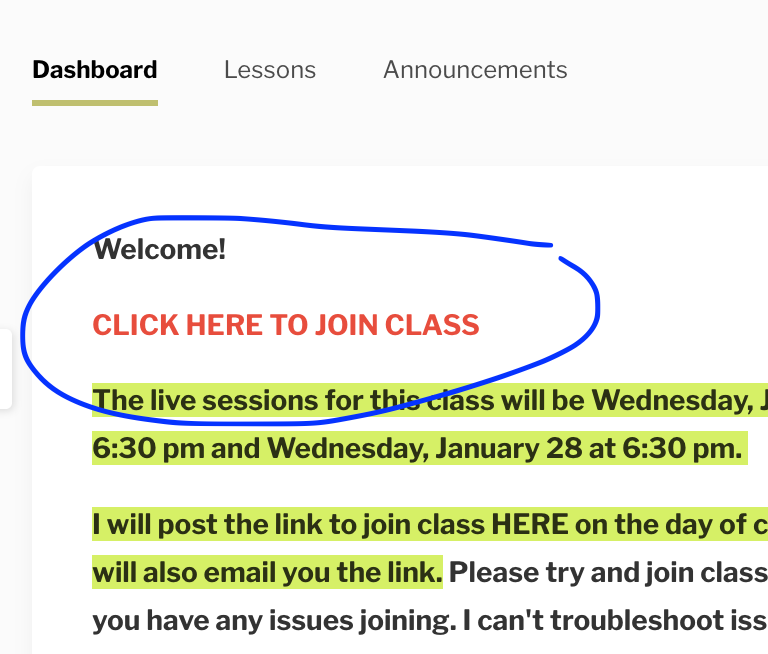
How to join live classes
The link to join a live class will be emailed to you the day of class. Please check your email for the link.
If you can't find that link in your email or if you enrolled last minute, here are instructions for access the Zoom link inside your class dashboard.
1. Log in to your account.
After logging in to your account, you will see your library:
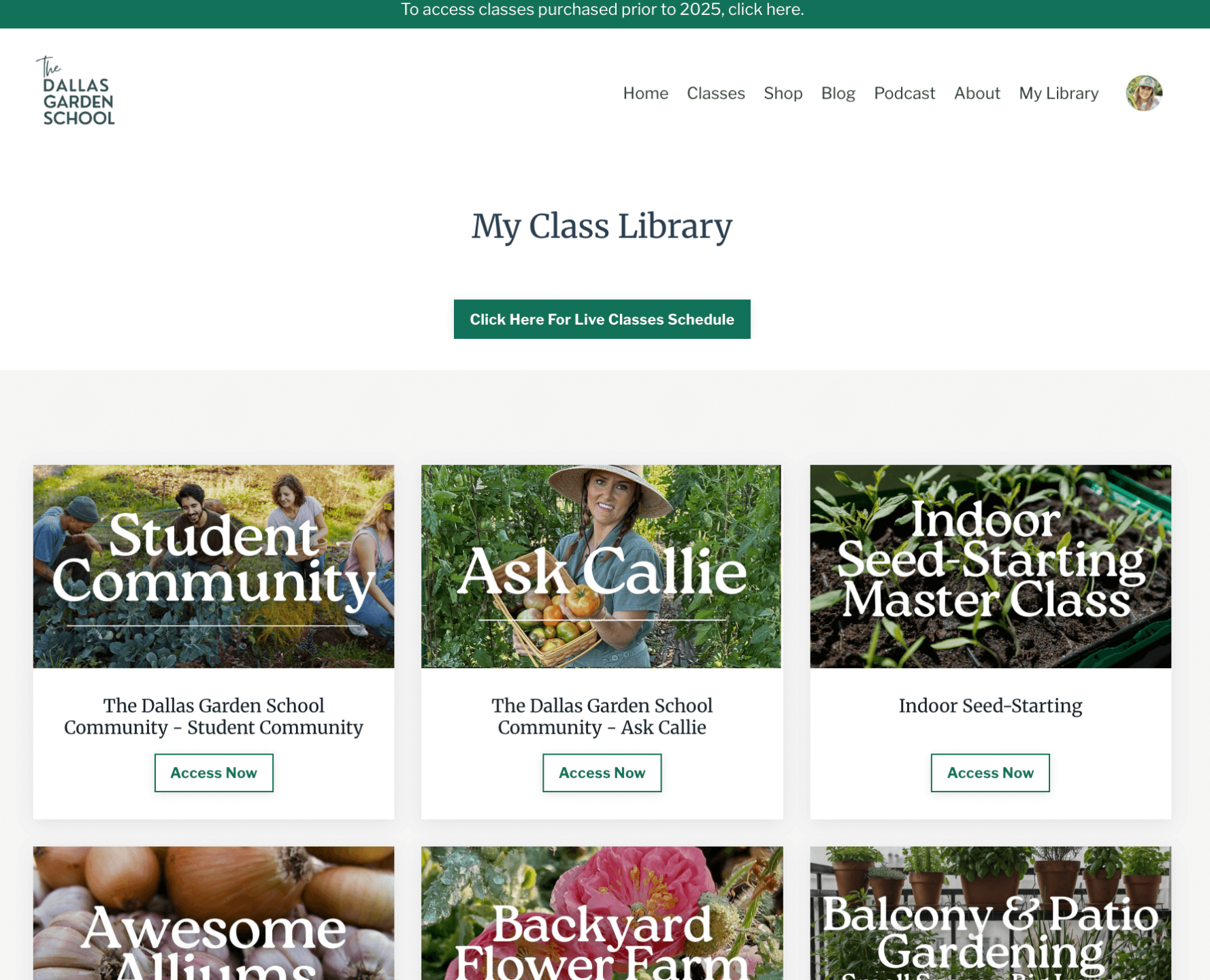
2. Navigate to the class you are trying to join. Upcoming live classes are usually arranged toward the top of your library for easy access. If not, classes are listed in alphabetical order.
3. Open that class module. and you will see the class welcome screen.
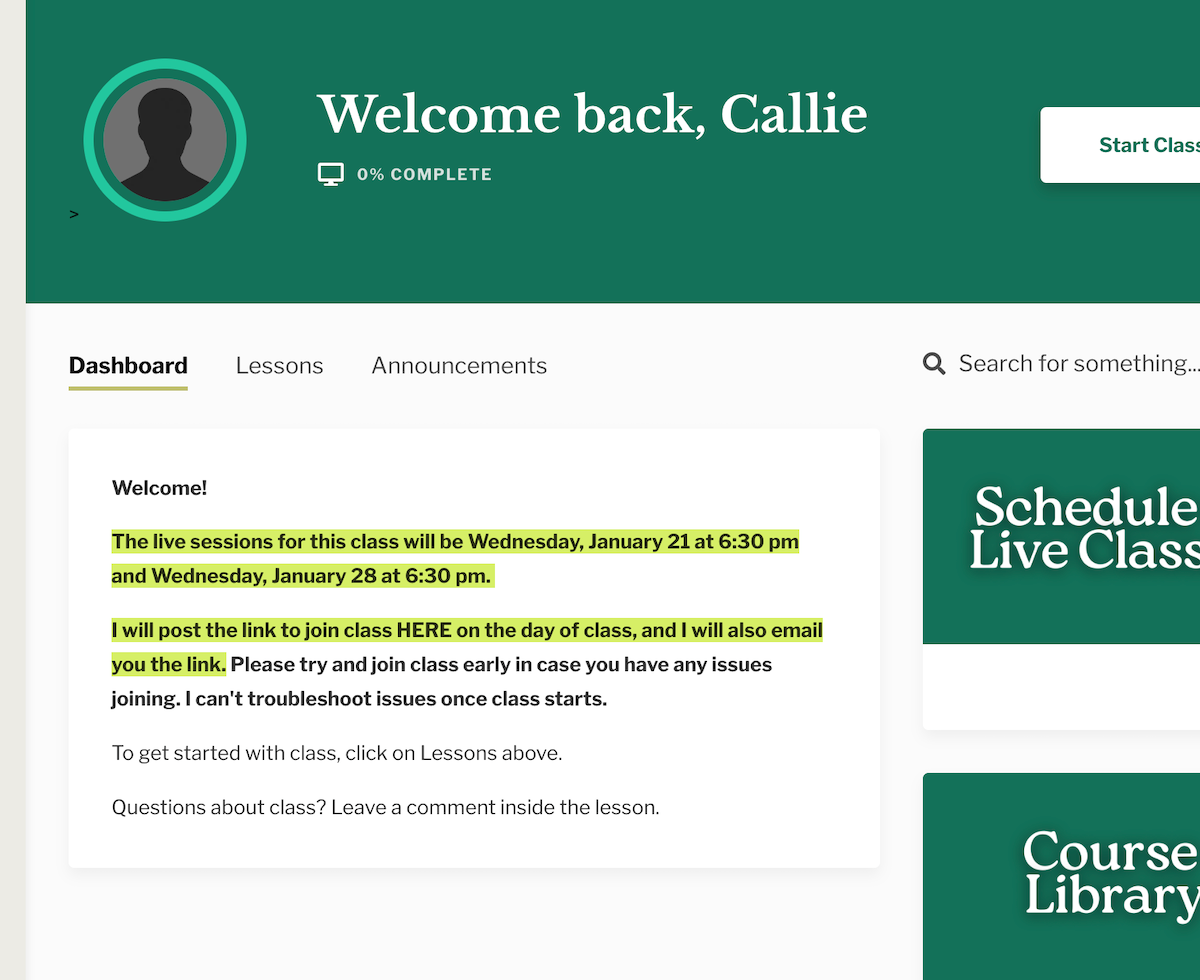
4. The link to join class will be posted inside the class the day of the live session. You will receive an email with the link as well.
5. Click on the link, and it will open Zoom. (You may need to install Zoom if you don't already have the app.)
You will be admitted to class.
Important: Once class starts, your instructor cannot troubleshoot your log in issues. Please practice logging in beforehand.